Press Kit
Official media resources for RescuePC Toolkit. Everything you need for press coverage, reviews, and directory listings.
Product Overview
RescuePC Toolkit
Professional Windows Repair Software Built from Real Repair Experience
Version: 2.4.24
Released: 2026-06-21
Platforms: Windows 10, Windows 11
License: Commercial (Free Trial Available)

Product Descriptions
Short Description (50 words)
RescuePC Toolkit is a professional Windows repair software with 108 one-click automated repairs. Built from real hands-on experience building, troubleshooting, and repairing PCs, it fixes slow computers, blue screens, network issues, and driver problems without command line knowledge.
Long Description (150 words)
RescuePC Toolkit is a comprehensive Windows repair solution designed specifically for IT professionals and computer repair shops. The toolkit includes 108 automated repair scripts covering the most common Windows 10 and Windows 11 issues that technicians encounter daily. Key features include a "Fix All" mode that runs 37 safe repairs automatically, network diagnostics and repair tools, driver issue detection, Windows Update troubleshooting, system cleanup and optimization, and registry repair utilities. The software is digitally signed, requires no installation of third-party dependencies, and creates system restore points before making changes. It's designed to save technicians 15-20 minutes per repair while ensuring consistent, professional results. RescuePC Toolkit is available as a subscription ($9.99/month) or lifetime license ($149), with volume licensing available for MSPs and enterprise customers.
Facts & Figures
Screenshots
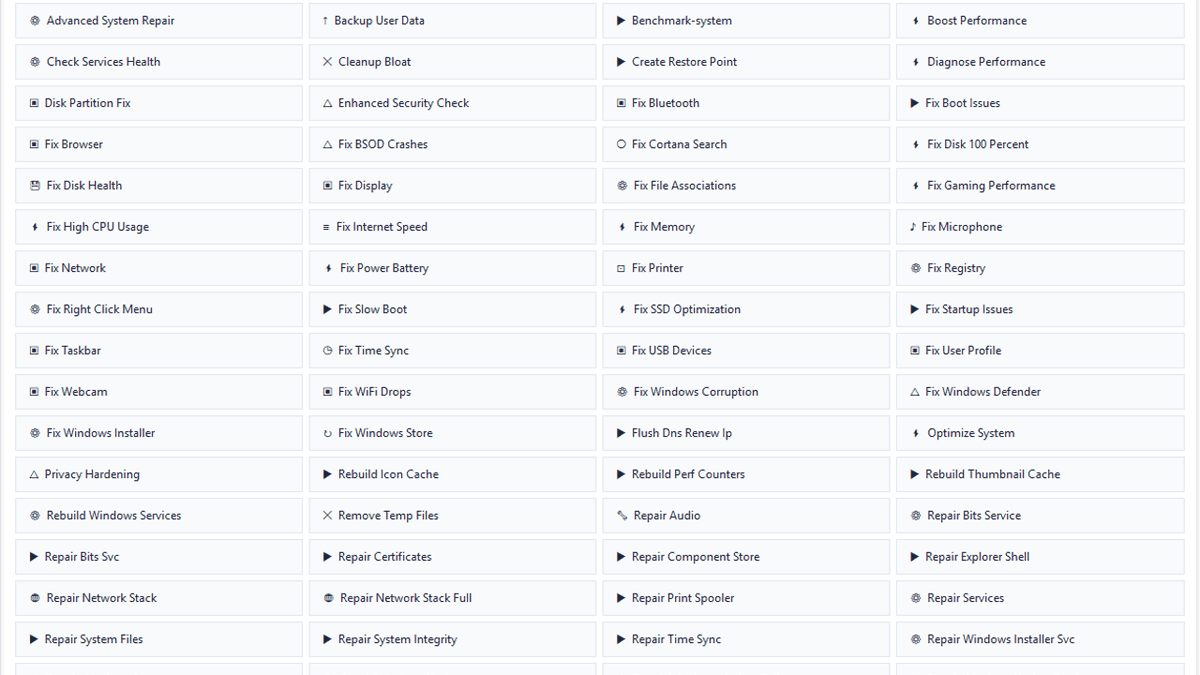
Main Interface - Desktop View
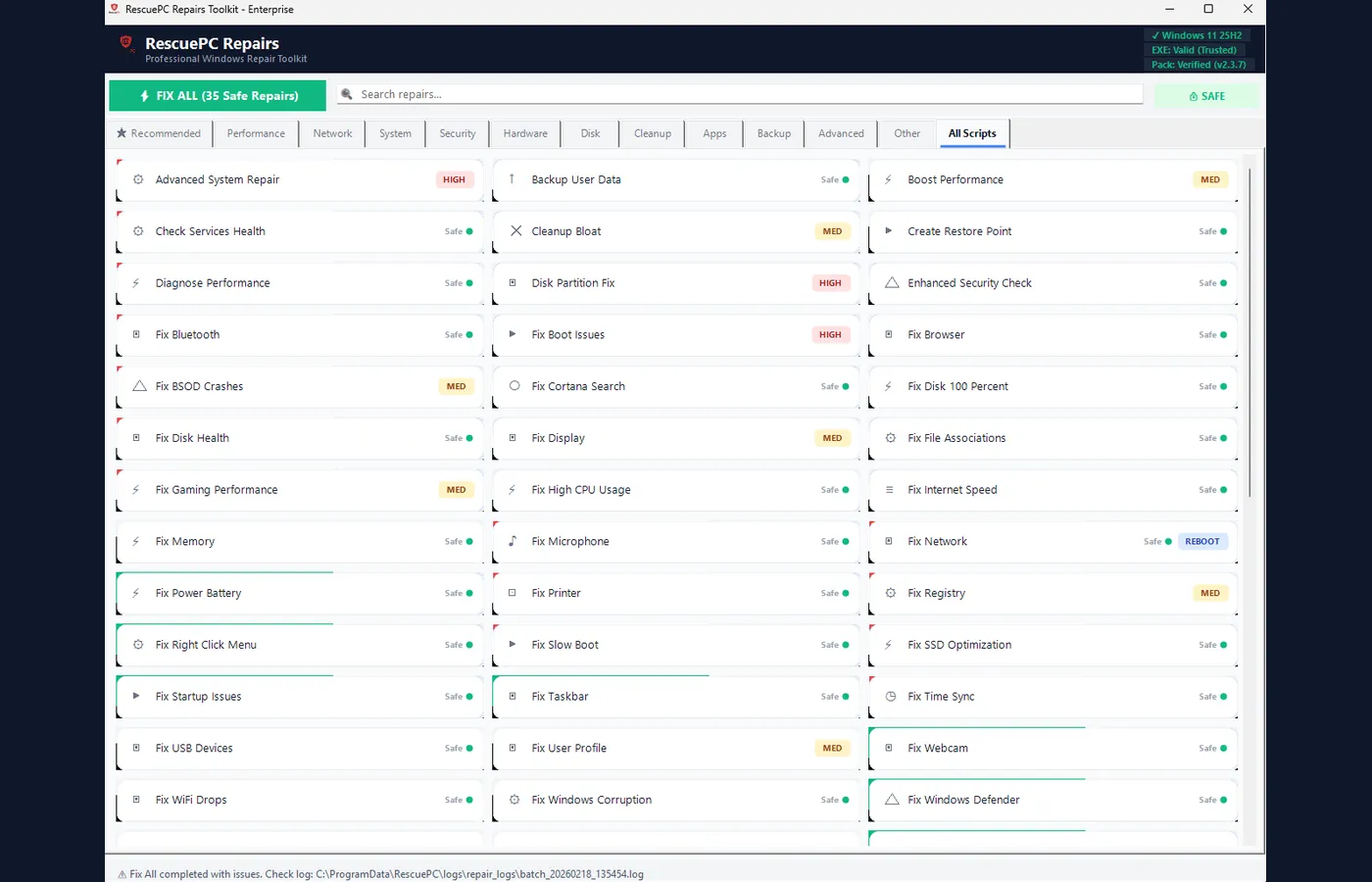
Product Hero Image
Right-click images to save. High-resolution versions available upon request.
Logos & Brand Assets

512×512 PNG

192×192 PNG

Logo (light bg)

Logo (dark bg)
Contact Information
General & Press Inquiries
[email protected]Security Issues
[email protected]Software Verification
SHA-256 Hash (v2.4.24)
0A29BD06B75F1F78B8997834851533DEA47C3EA3DF6DC34055397D111D4971C5Code Signing
All executables are digitally signed. Verify by right-clicking the .exe → Properties → Digital Signatures.
For full security documentation, see our Trust Center.